css (2)


Concrete5 – Team Datenbank in TabelleConcrete5 – Staff listing with two Columns

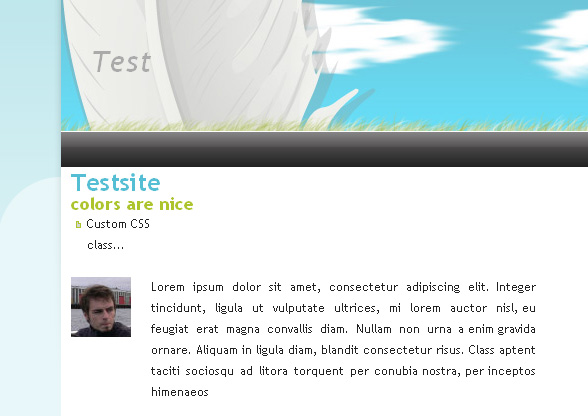
In vielen Fällen soll eine Internetseite Elemente enthalten, die in zwei Spalten dargestellt werden sollen. In diesem Tutorial beschreibe ich einen sehr einfachen Block, um ein Bild einer Person anzuzeigen, so dass die Beschreibung rechts vom Bild dargestellt wird.

Das Ergebnis schaut folgendermassen aus:
staff1

Sometimes content should be presented in two columns. In this tutorial I’ll describe a possible solution that included a very simple block to display a staff/team member with a description on the right side of it. The result will look like this:
staff1


Concrete5 – CSS Funktionen [typography.css, anpassbare Themes]Concrete5 – CSS features [typograhy.css, customize themes]

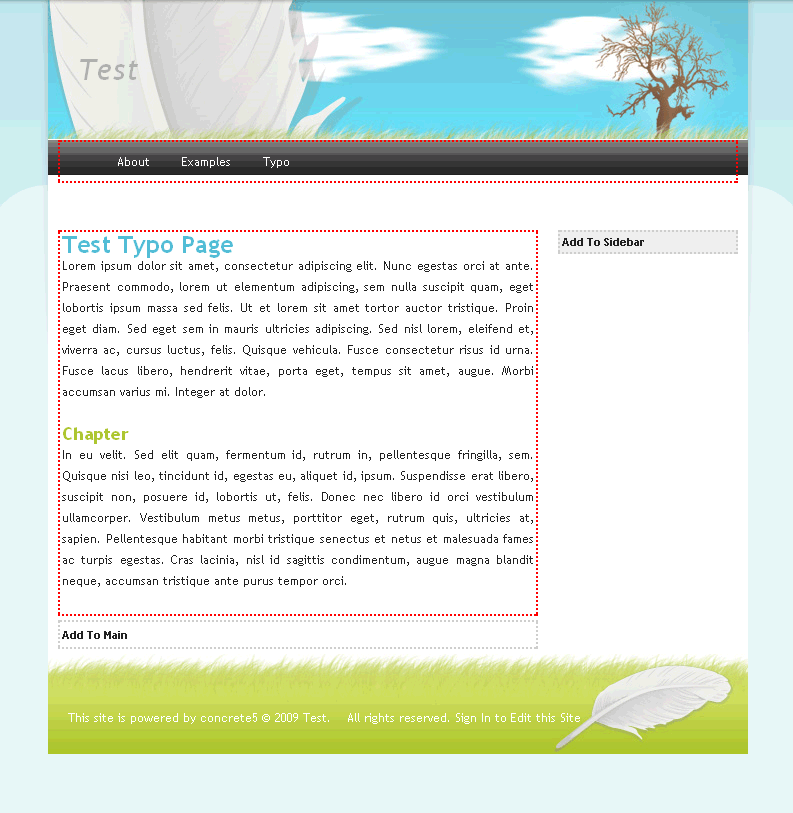
Wer ein Theme für Concrete5 erstellt hat, wird sich eventuell gefragt haben, wofür die zwei CSS Dateien main.css and typography.css. In diesem Tutorial zeige ich ein paar Möglichkeiten, die Concrete5 im Zusammenhang mit CSS bietet. Grundlegende Kenntnisse über das Erstellen von Themes sollten vorhanden sein, ansonsten wäre es hilfreich dieses Tutorial vorgängig zu lesen: http://www.codeblog.ch/2009/01/concrete5-theme-erstellen/

typo1

If you ever built your own Concrete5 theme you might have wondered why there are usually two css files – main.css and typography.css. In this tutorial I’ll show you some possibilities of typography.css. You should have basic knowledge about building a theme for Concrete5. Read this tutorial in case you never built one before: http://www.codeblog.ch/2009/01/concrete5-theme-erstellen/

typo1